
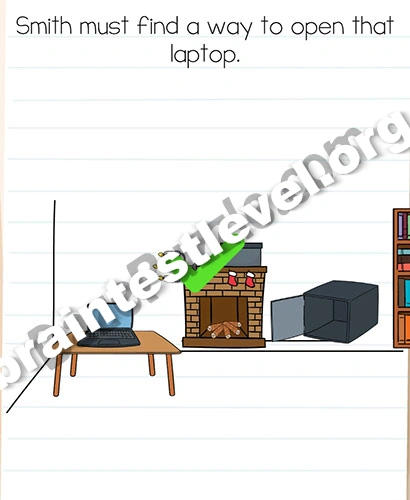
Brain Test 2 Level 101: Smith must find a way to turn on that laptop.
Brain Test 2 Level 101
Screenshots
Quick Answer
Rotate the candlestick to left, a hidden safe box shows up. Open it and show the ID to the laptop.
Skills Tested
Step-by-Step Solution
- 1) Find the candlestick on the scene.
- 2) Rotate the candlestick to the left.
- 3) Watch the hidden safe box appear and open it.
- 4) Take the ID and show it to the laptop.
Hint
Reveal a hint
Turn the candlestick left, open the hidden safe box, and show the laptop the ID.
Why It Works
A disguised control is the key to the laptop. Moving the candlestick exposes the concealed safe, and showing the ID it holds to the laptop is what grants access and powers it up.
Frequently asked questions
How do I turn on the laptop in Brain Test 2 Level 101?
Rotate the candlestick left, open the hidden safe box, and show the ID to the laptop.
What is the answer to Brain Test 2 Level 101?
The answer is to turn the candlestick left to reveal a safe box, open it, and show the ID to the laptop.
What is the trick in Brain Test 2 Level 101?
The trick is that the candlestick hides a secret safe, and the ID inside it is what finally unlocks the laptop.
Why do I need to rotate the candlestick in Brain Test 2 Level 101?
Because rotating the candlestick to the left is what reveals the hidden safe box holding the needed ID.
Is there a video walkthrough for Brain Test 2 Level 101?
Yes. The embedded video shows the candlestick rotation and the safe open in Brain Test 2 Level 101.
How do I avoid getting stuck in Brain Test 2 Level 101?
Rotate the candlestick to the left first, open the safe box, and then hold the ID up to the laptop to finish.