
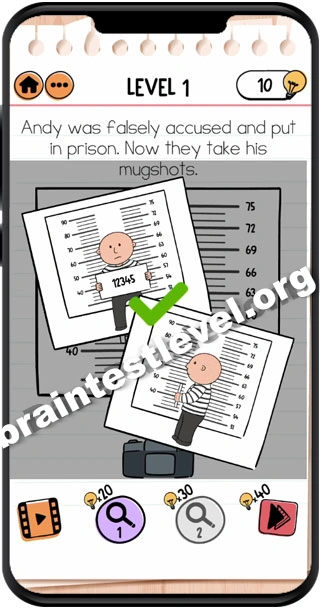
Brain Test 2 Level 129: Andy was falsely accused and put in prison. Now they take this mugshots.
Brain Test 2 Level 129
Screenshots
Quick Answer
Tap on the camera to take a picture, then swipe left on Andy to take a side angle mugshot. Tap the camera again to capture.
Skills Tested
Step-by-Step Solution
- 1) Tap on the camera to take the first picture.
- 2) Swipe left across Andy to change the angle.
- 3) Line up a side angle mugshot.
- 4) Tap the camera again to capture it.
Hint
Reveal a hint
The camera needs two different angles, so take a front shot and then a side shot.
Why It Works
This level teaches that a mugshot needs more than one frame. You start with a straight-on photo, swipe to set up a side angle, then capture that second image to complete the scene.
Frequently asked questions
How do I solve Brain Test 2 Level 129?
Tap the camera for a front picture, swipe left on Andy for a side angle, then tap the camera again to capture the other mugshot.
What is the answer to Brain Test 2 Level 129?
Take a picture with the camera, swipe left on Andy to get a side angle, and tap the camera again.
What is the trick in Brain Test 2 Level 129?
You need two shots from different angles, so a single tap is not enough and the swipe is required.
Why do I need to swipe in Brain Test 2 Level 129?
Swiping left changes the camera angle so you can capture a second, side-angle mugshot to finish the record.
Is there a video walkthrough for Brain Test 2 Level 129?
Yes. The embedded clip shows the camera taps and the left swipe for the side shot.
How do I avoid getting stuck in Brain Test 2 Level 129?
Take the front photo first, swipe to the side angle without rushing, then tap to capture the second shot.