
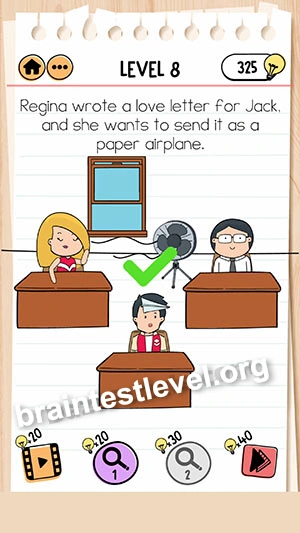
Brain Test 2 Level 216: Regina wrote a love letter for Jack, and she wants to send it as a paper airplane.
Brain Test 2 Level 216
Screenshots
Quick Answer
Swipe up on the window, then tap on the fan, now tap on the paper airplane.
Skills Tested
Step-by-Step Solution
- 1) Swipe up on the window to open it.
- 2) Tap on the fan to start it spinning.
- 3) Wait for the airflow to build.
- 4) Tap on the paper airplane to launch it.
Hint
Reveal a hint
Open the window and spin the fan to launch it.
Why It Works
The level runs on airflow. Swiping the window open and running the fan give the paper airplane the breeze it needs to travel, and tapping it sends it off.
Frequently asked questions
How do I send the letter in Brain Test 2 Level 216?
Swipe up the window, tap the fan, and then tap the paper airplane to let the airflow carry it.
What is the answer to Brain Test 2 Level 216?
Open the window with an upward swipe, switch on the fan, and tap the paper airplane to send it flying.
Why do I need the fan in Brain Test 2 Level 216?
The fan, along with the open window, creates airflow that directs the paper airplane where it needs to go.
Why swipe up the window in Brain Test 2 Level 216?
The open window lets the air in so the fan can guide the paper airplane out toward its target.
Is there a video walkthrough for Brain Test 2 Level 216?
Yes, the embedded video shows the window, fan, and plane sequence in Brain Test 2 Level 216.
How do I keep the plane from dropping in Brain Test 2 Level 216?
Open the window and start the fan first, then tap the plane only when the airflow is ready.