
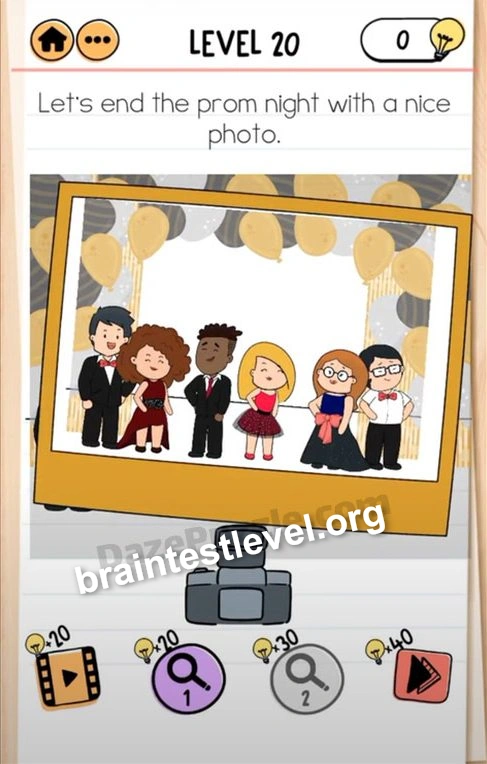
Brain Test 2 Level 318: Let's end the prom night with a nice photo.
Brain Test 2 Level 318
Screenshots
Quick Answer
Everybody should be standing next to their partner. You can see the correct position in the picture. Then hit the camera to shoot.
Skills Tested
Step-by-Step Solution
- 1) Look at the picture showing correct positions.
- 2) Move each person next to their partner.
- 3) Match the layout to the reference.
- 4) Hit the camera to shoot the photo.
Hint
Reveal a hint
Pair everyone like the reference picture, then press the camera.
Why It Works
The picture on screen shows the correct pairing from earlier pairs. Rearranging so each partner stands beside their match, then hitting the camera, captures the perfect prom ending.
Frequently asked questions
How do I take the photo in Brain Test 2 Level 318?
Move everyone to stand next to their partner as shown in the picture, then hit the camera to shoot.
What is the answer to Brain Test 2 Level 318?
Line each person up beside their partner using the picture, then press the camera.
Where do I find the correct position in Brain Test 2 Level 318?
The picture on the scene shows how each partner pair should be arranged.
When do I take the shot in Brain Test 2 Level 318?
Press the camera only after everyone stands beside the right partner.
Is there a video walkthrough for Brain Test 2 Level 318?
Yes, the clip shows the pairings and the camera tap in Brain Test 2 Level 318.
How do I order the group in Brain Test 2 Level 318?
Follow the reference picture to place partners together before tapping the camera in Brain Test 2 Level 318.