
Brain Test 2 Level 53: Zombies are attacking!
Brain Test 2 Level 53
Screenshots
Quick Answer
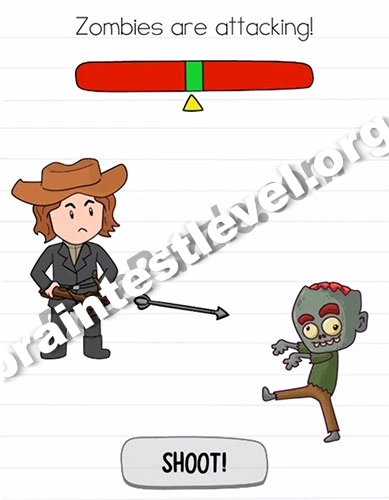
Hit the shoot button when the yellow indicator is in the green part.
Skills Tested
Step-by-Step Solution
- 1) Watch the yellow indicator on the gauge.
- 2) Let it move toward the green part.
- 3) Press the shoot button in the green zone.
- 4) Time it right to hit the zombies.
Hint
Reveal a hint
Wait for the yellow marker to reach the green zone before you shoot.
Why It Works
This is a pure timing exercise. The moving indicator decides the shot, and releasing the shoot button when it crosses green lands the perfect hit on the zombies.
Frequently asked questions
How do I defeat the zombies in Brain Test 2 Level 53?
Wait for the yellow indicator to move into the green part of the gauge, then press the shoot button at exactly that moment to land your shot.
What is the answer to Brain Test 2 Level 53?
Press the shoot button the instant the yellow indicator is inside the green part. Timing the press to that window hits the zombies.
What is the trick in Brain Test 2 Level 53?
There is no aim to control. The moving yellow indicator does the work, and you only press shoot once it is inside the green zone.
Why must the indicator be green in Brain Test 2 Level 53?
The green part is the ideal shooting window. Releasing the button while the yellow marker is green gives your shot the best possible accuracy for the zombies.
Is there a video walkthrough for Brain Test 2 Level 53?
Yes. The embedded video shows the correct timing for the shoot button in Brain Test 2 Level 53.
How do I avoid getting stuck in Brain Test 2 Level 53?
Do not tap randomly. Keep your eye on the yellow indicator and press shoot only when it is fully inside the green portion of the gauge.