
Brain Test 4 Level 404: Gymmy must do the deadlift.
Brain Test 4 Level 404
Screenshots

Quick Answer
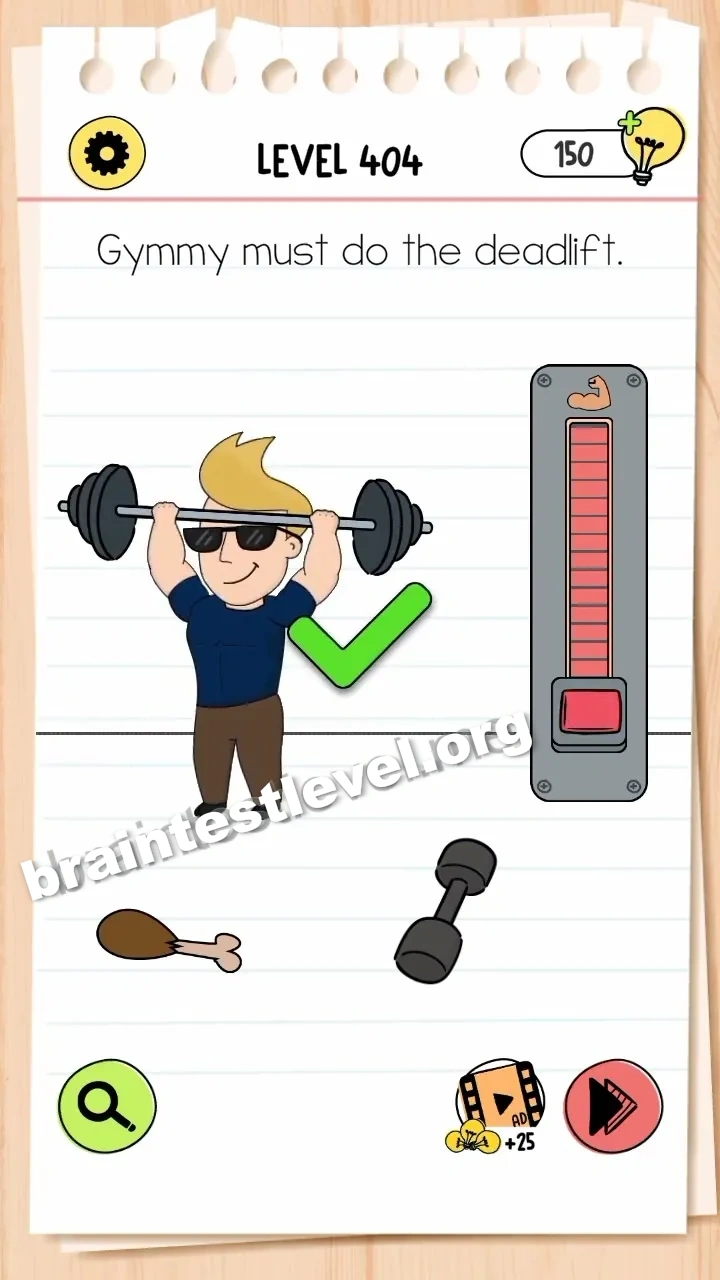
Drag the red slider on the strength meter up to the muscle icon to make Gymmy lift the barbell.
Skills Tested
Step-by-Step Solution
- 1) Look at the strength meter.
- 2) Take the red slider on it.
- 3) Drag the slider up to the muscle icon.
- 4) Watch Gymmy lift the barbell once it is full.
Hint
Reveal a hint
Push the red slider all the way to the muscle icon.
Why It Works
No amount of tapping matters here, because the machine tracks your effort on a meter. Sliding the red control up to the muscle icon maximises the strength reading, and that added power lets Gymmy succeed at the deadlift.
Frequently asked questions
How do I get Gymmy to lift in Brain Test 4 Level 404?
Drag the red slider on the strength meter up to the muscle icon so Gymmy can lift the barbell.
What is the answer to Brain Test 4 Level 404?
Move the red slider to the top of the strength meter next to the muscle icon to make the lift work.
What is the trick in Brain Test 4 Level 404?
Fill the strength gauge by dragging the red slider to the muscle icon, which gives Gymmy the power to lift.
Why do I need the red slider in Brain Test 4 Level 404?
Reaching the muscle icon on the meter maxes out the strength needed to raise the barbell.
Is there a video walkthrough for Brain Test 4 Level 404?
Yes, the video shows dragging the red slider all the way up to the muscle icon for the lift.
How do I avoid getting stuck in Brain Test 4 Level 404?
Do not just tap Gymmy; fill the strength meter first by dragging the slider up to the muscle icon.