
Brain Test Level 285: Adjust the side view according to the top view.
Brain Test Level 285
Screenshots
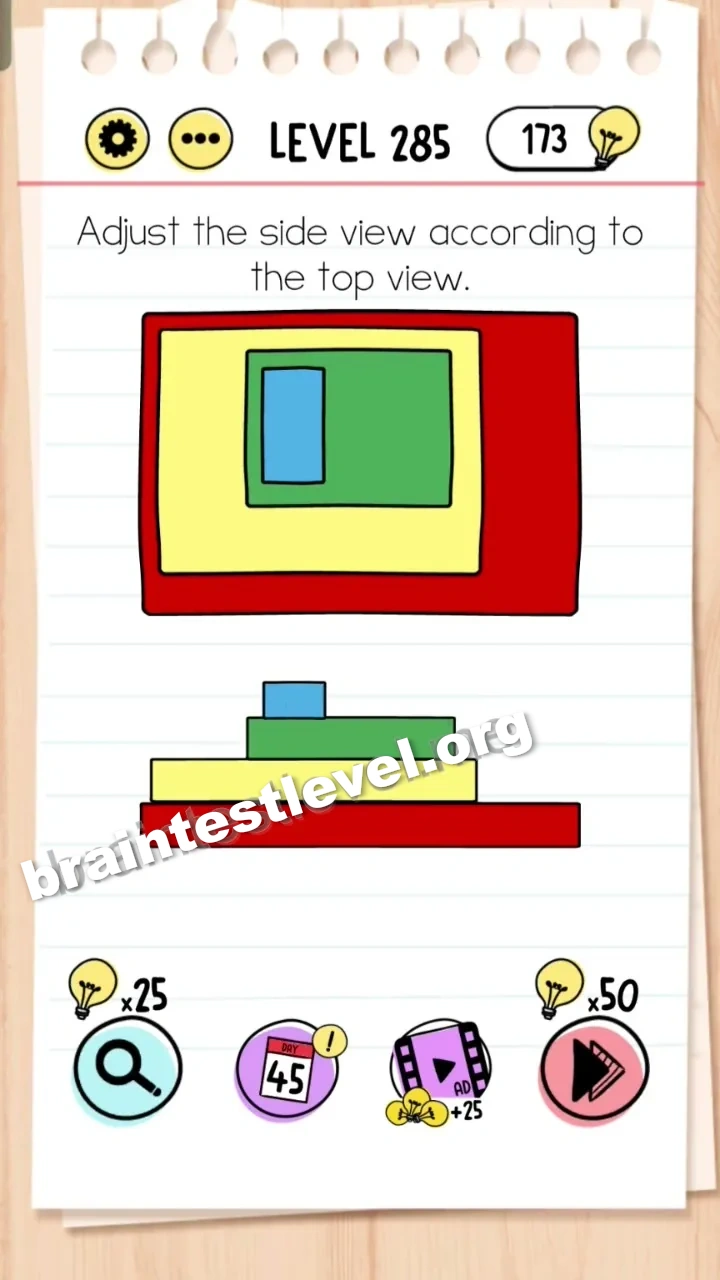
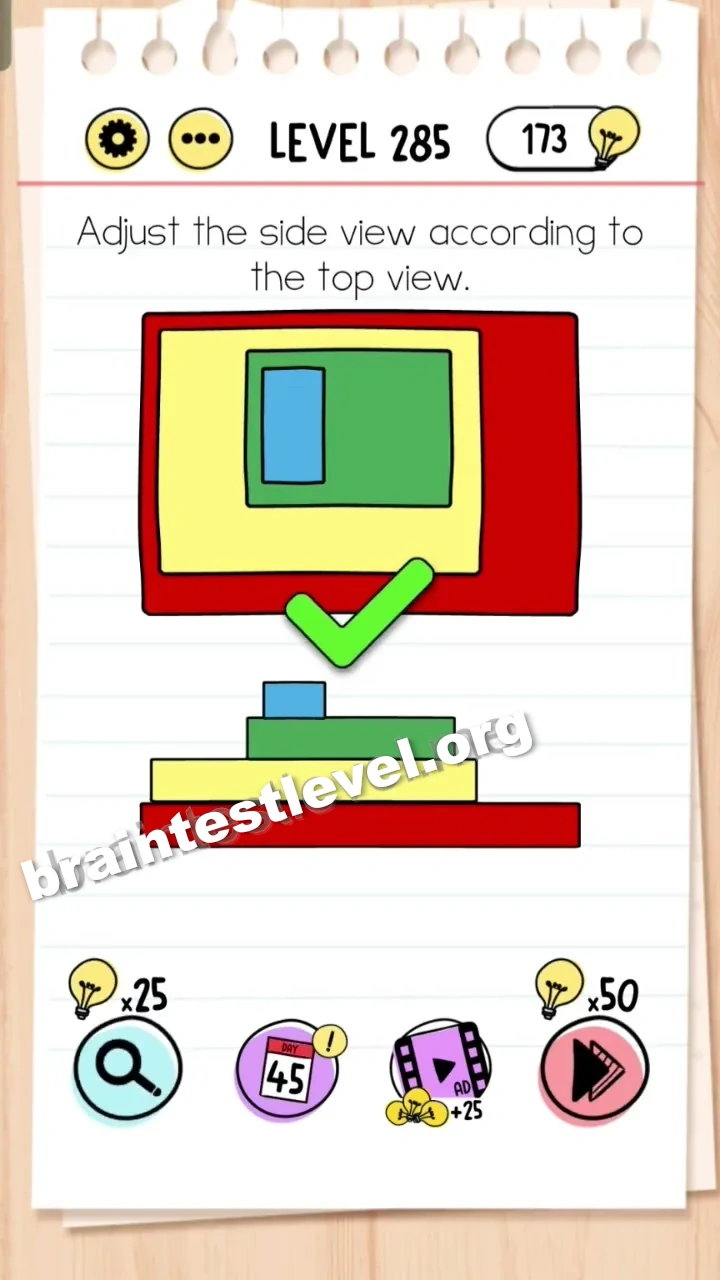
Quick Answer
Drag the yellow, green, and blue blocks to the left to align them according to the top-down view.
Skills Tested
Step-by-Step Solution
- 1) Study the top view to understand where each block should sit.
- 2) Select the yellow block and drag it to the left to align it.
- 3) Drag the green and blue blocks left in the same way.
- 4) Confirm the side view matches the top view to finish Brain Test level 285.
Hint
Reveal a hint
Use the top view as a guide to rearrange the blocks.
Why It Works
The side view looks wrong only because the blocks are out of place. By aligning the yellow, green, and blue blocks to the left so they match the top-down layout, the two views become consistent.
Frequently asked questions
How do I solve Brain Test level 285?
Drag the yellow, green, and blue blocks to the left so the side view matches the top-down reference view.
What is the answer to Brain Test level 285?
Align the three blocks to the left so the side view lines up exactly with the top view.
What is the trick in Brain Test level 285?
The trick is to use the top view as the guide, then rearrange the blocks until the side view matches it.
Which blocks do I move in Brain Test level 285?
You move the yellow, green, and blue blocks, dragging each one to the left to align them correctly.
Is there a video walkthrough for Brain Test level 285?
Yes, the embedded video on this page shows how to slide each block to match the top view.
Is this a spatial puzzle in Brain Test level 285?
Yes, it exercises spatial thinking, because you must picture how the blocks align to match the top view.