
Brain Test Level 600: Score a goal.
Brain Test Level 600
Screenshots
Quick Answer
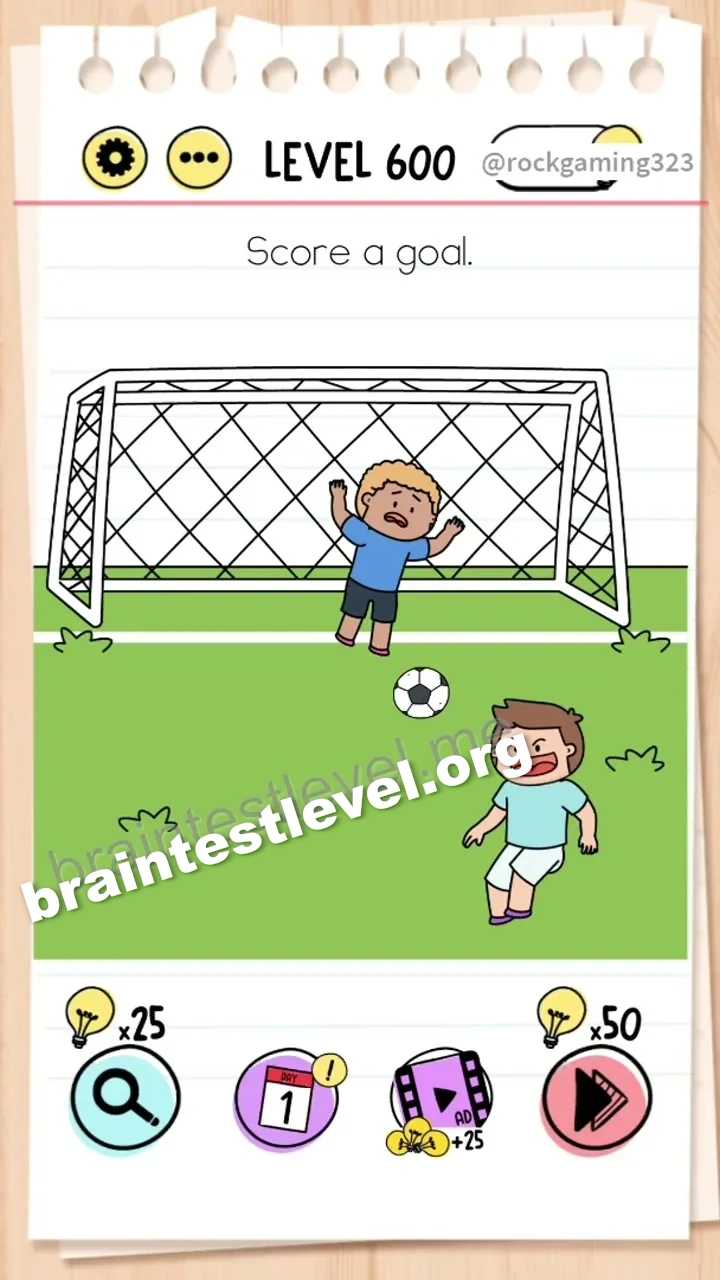
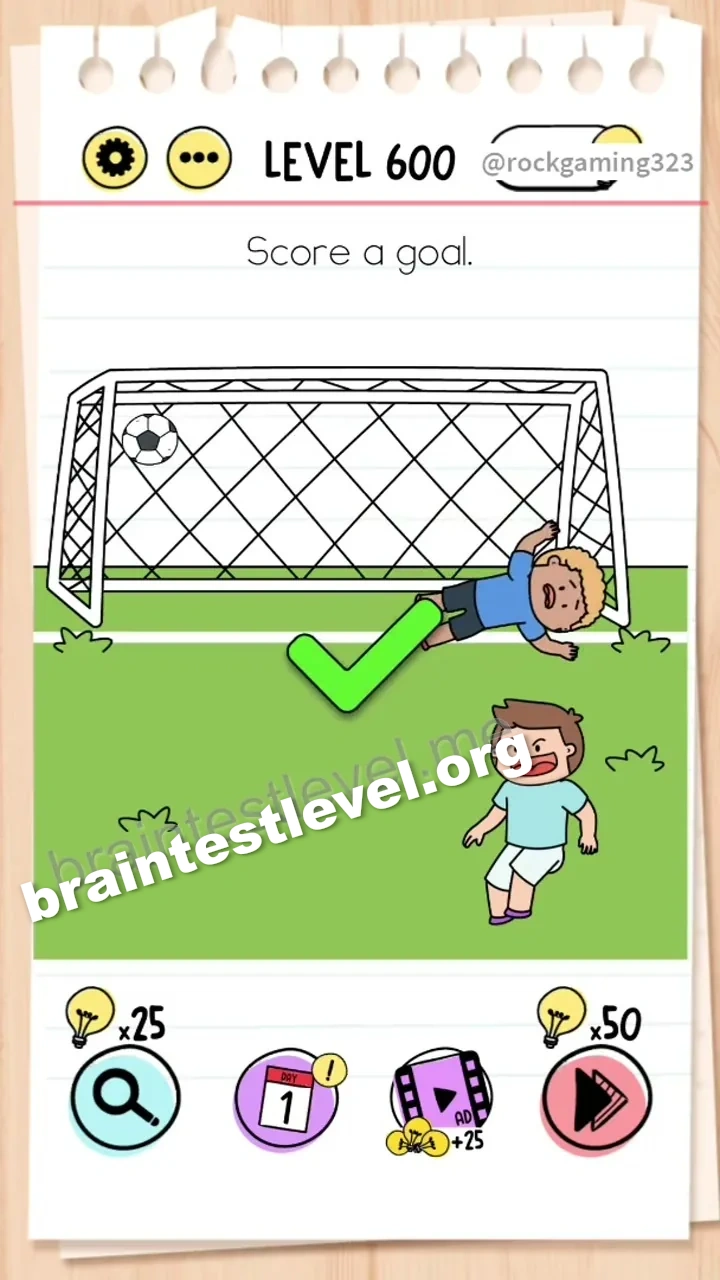
Tilt your device to the right to make the goalkeeper slide, then tap the player to kick the ball into the open net.
Skills Tested
Step-by-Step Solution
- 1) Look at the goal and the goalkeeper guarding it.
- 2) Tilt your device to the right so the goalkeeper slides out of position.
- 3) Tap the player to kick the ball.
- 4) Watch the ball land in the open net to score.
Hint
Reveal a hint
Use the device tilt to move the goalkeeper before taking the shot.
Why It Works
A direct shot fails because the goalkeeper covers the net. Tilting right shifts the goalkeeper over, opening the goal so the tapped kick sails through unchallenged for a goal.
Frequently asked questions
How do I score a goal in Brain Test level 600?
Tilt your device to the right to slide the goalkeeper away, then tap the player to kick the ball into the open net.
What is the answer to Brain Test level 600?
Tilt right to move the goalkeeper, then tap the player to shoot the ball into the open goal.
Why does tilting help in Brain Test level 600?
Tilting the device to the right makes the goalkeeper slide aside, leaving the net open for the shot.
Do I need to swipe to score in Brain Test level 600?
No, tilt your device to the right first and then tap the player to kick the ball.
What is the trick in Brain Test level 600?
The trick is that the goalkeeper will block a normal shot, so you must tilt the device to move him first.
Is there a video walkthrough for Brain Test level 600?
Yes, the embedded video shows the tilt moving the keeper and the player scoring.