
脑洞大师 4 第 301 关:How many apples do I have?
脑洞大师 4 第 301 关
通关截图
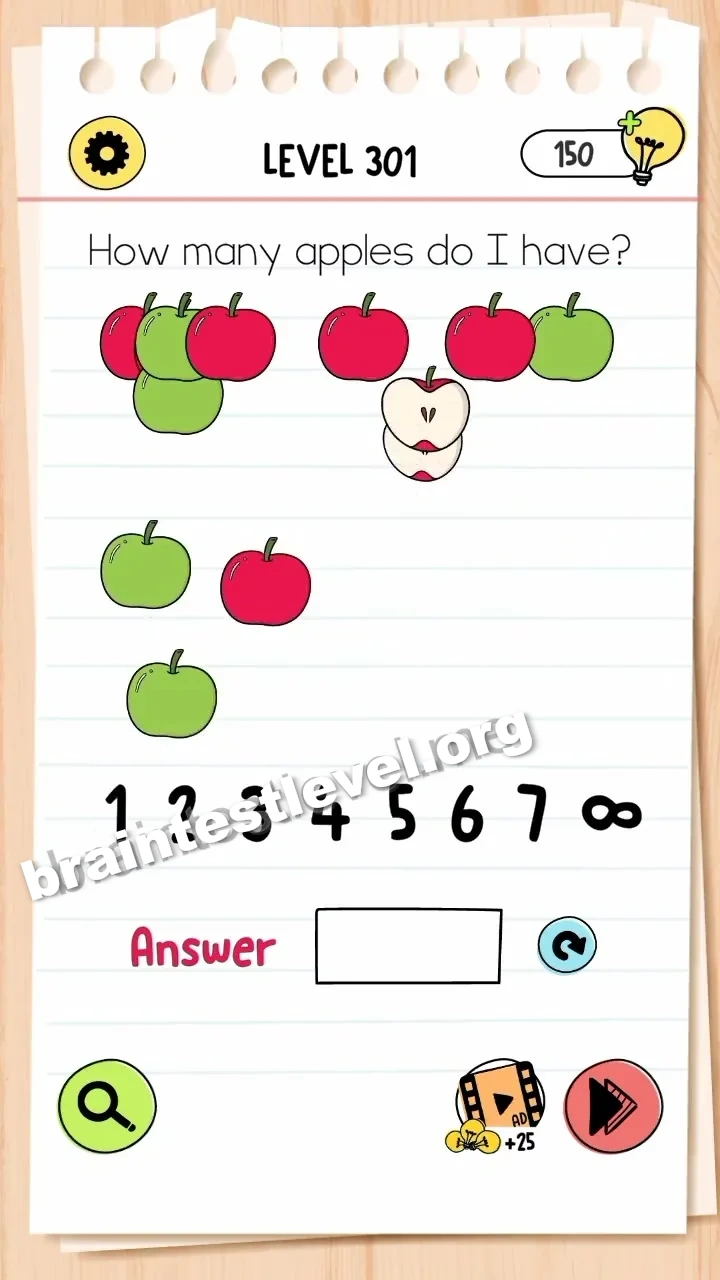
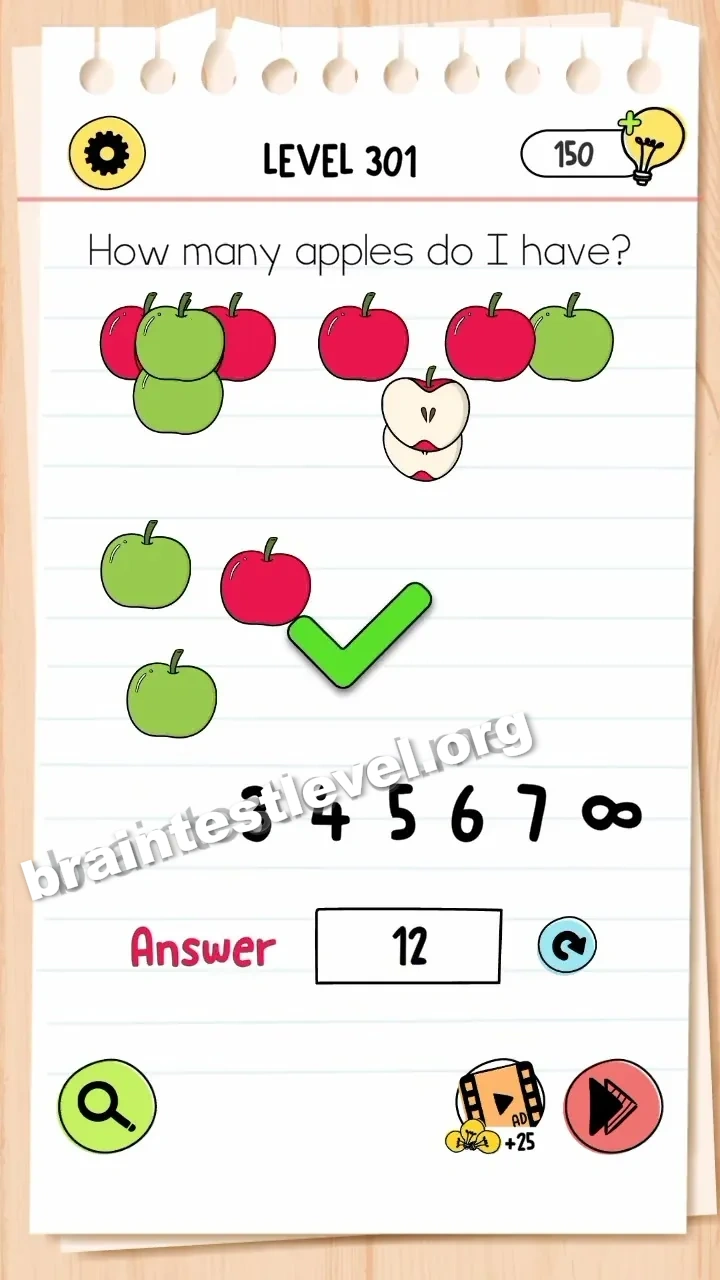
快速答案
Separate the overlapping apples to count them all, including the two halves (totaling 12). Drag the numbers '1' and '2' into the answer box.
考察能力
分步解法
- 1) Drag the overlapping apples apart.
- 2) Count every whole apple.
- 3) Add the two halves to get 12.
- 4) Drag the numbers 1 and 2 into the answer box.
提示
查看提示
Pull the apples apart, count all of them plus the halves to reach 12, then drag 1 and 2 into the answer box.
为什么有效
This tests careful counting with a hidden catch. The two halves are easy to miss, so separating the pile is the only way to reach the real total, and you enter it by moving the digits 1 and 2 into the box.
常见问题
How do I solve Brain Test 4 Level 301?
Separate the overlapping apples to count them all, including the two halves for a total of 12, then drag the numbers 1 and 2 into the answer box.
What is the answer to Brain Test 4 Level 301?
Split the pile of apples and count them, adding the halves to reach 12, then enter 12 by dragging 1 and 2 into the box.
What is the trick in Brain Test 4 Level 301?
The trick is remembering the two halves are actually part of the count, bringing the total to twelve apples.
Why do I need to separate the apples in Brain Test 4 Level 301?
Separating the pile lets you see each fruit clearly so you can count all the apples plus the halves to reach 12.
Is there a video walkthrough for Brain Test 4 Level 301?
Yes. The clip shows the apples pulled apart, counted to 12, and the digits 1 and 2 dragged into the answer box.
How do I avoid getting stuck in Brain Test 4 Level 301?
Do not forget the two halves when counting, and drag the digits 1 and 2 separately into the answer box.