
Brain Test 4 Level 279: This planet must be breathable for Astrodog.
Brain Test 4 Level 279
Screenshots
Quick Answer
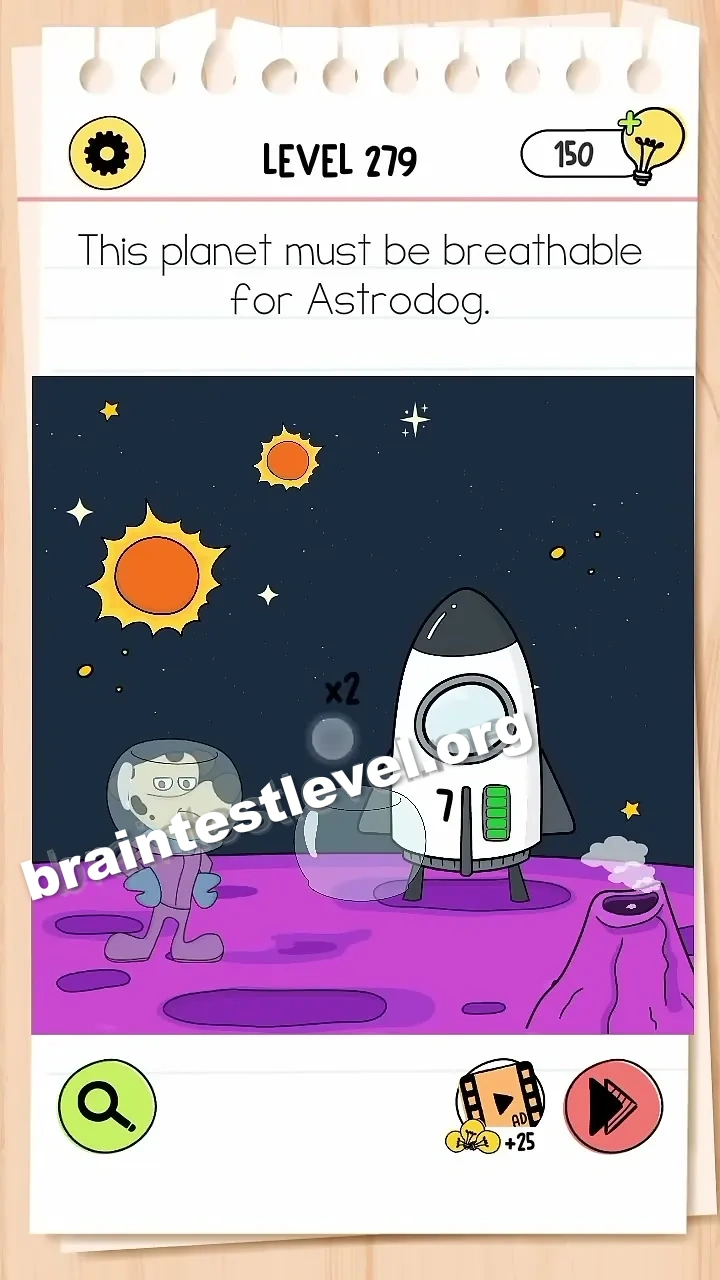
Drag the 'x27' label from the rocket onto the gas cloud on the right to expand the atmosphere.
Skills Tested
Step-by-Step Solution
- 1) Look at the rocket and its x27 label.
- 2) Spot the gas cloud on the right.
- 3) Drag the x27 label to the gas cloud.
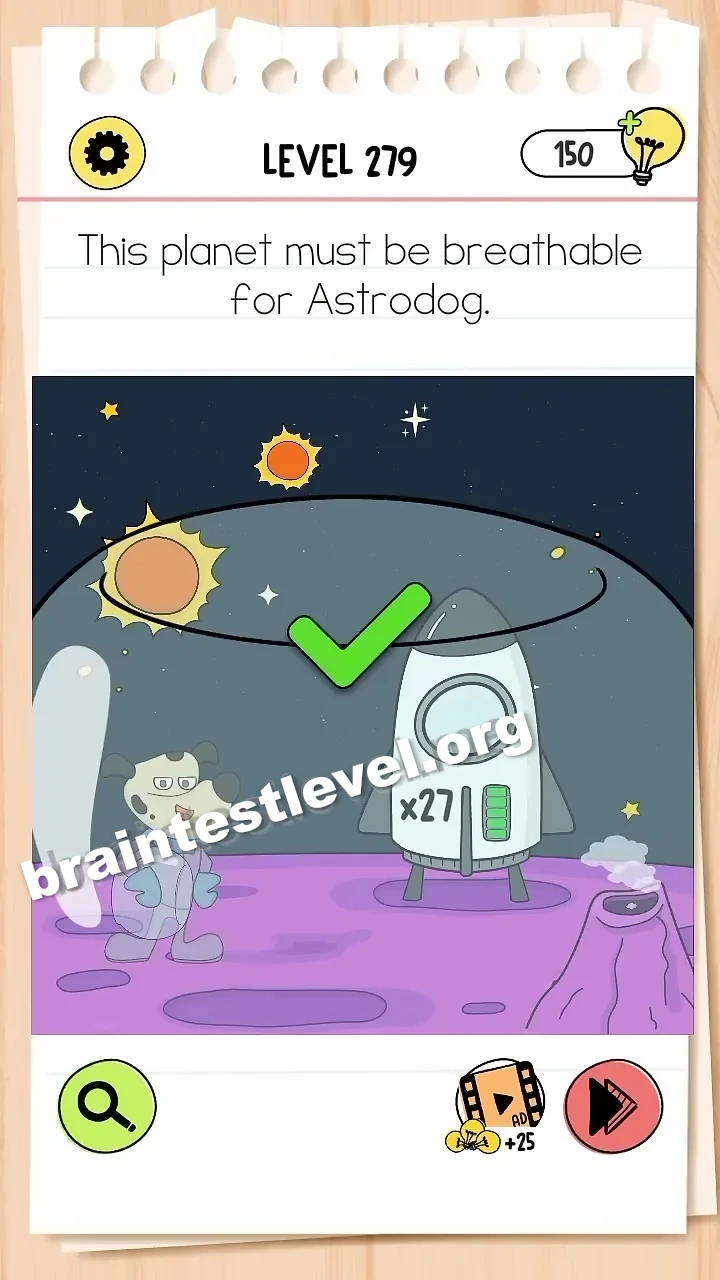
- 4) Let the atmosphere expand so Astrodog can breathe.
Hint
Reveal a hint
Move the x27 label from the rocket onto the gas cloud to grow the atmosphere.
Why It Works
The planet needs more air before Astrodog can breathe on it. Dragging the x27 label onto the gas cloud enlarges it, expanding the atmosphere and making the planet safe to breathe.
Frequently asked questions
How do I solve Brain Test 4 Level 279?
Drag the 'x27' label from the rocket onto the gas cloud on the right to expand the atmosphere.
What is the answer to Brain Test 4 Level 279?
Move the x27 label from the rocket to the gas cloud on the right to grow the atmosphere for Astrodog.
What is the trick in Brain Test 4 Level 279?
The trick is expanding the atmosphere. Dragging the x27 label onto the gas cloud makes the air bigger.
Why do I need the x27 label in Brain Test 4 Level 279?
Putting the x27 label on the gas cloud expands the atmosphere so the planet is breathable for Astrodog.
Is there a video walkthrough for Brain Test 4 Level 279?
Yes. The embedded video shows the x27 label moved to the gas cloud to expand the atmosphere.
How do I avoid getting stuck in Brain Test 4 Level 279?
Do not ignore the label. Drag the x27 from the rocket onto the gas cloud on the right.