
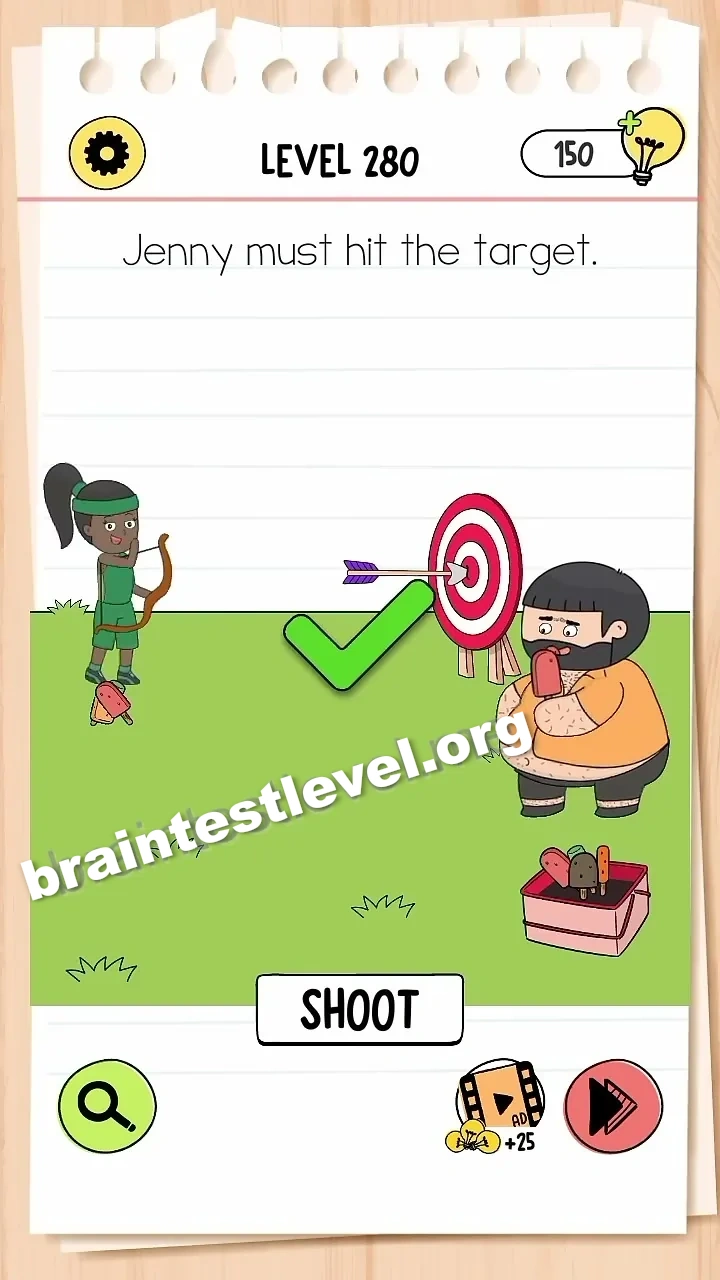
Brain Test 4 Level 280: Jenny must hit the target.
Brain Test 4 Level 280
Screenshots

Quick Answer
Drag the target to the left to place it in front of the man, then tap SHOOT.
Skills Tested
Step-by-Step Solution
- 1) Look at the target position.
- 2) Drag the target to the left.
- 3) Place it in front of the man.
- 4) Tap SHOOT to hit the target.
Hint
Reveal a hint
Pull the target to the left in front of the man, then tap SHOOT to hit it.
Why It Works
Instead of adjusting Jenny aim, you move the target itself. Dragging it in front of the man and pressing SHOOT guarantees the shot lands right on the target.
Frequently asked questions
How do I solve Brain Test 4 Level 280?
Drag the target to the left to place it in front of the man, then tap SHOOT.
What is the answer to Brain Test 4 Level 280?
Move the target to the left in front of the man and tap SHOOT to hit it.
What is the trick in Brain Test 4 Level 280?
The trick is moving the target instead of adjusting the shot. Place it in front of the man before tapping SHOOT.
Why do I need to move the target in Brain Test 4 Level 280?
Putting the target in front of the man makes it easy to hit, and tapping SHOOT lands the shot.
Is there a video walkthrough for Brain Test 4 Level 280?
Yes. The embedded video shows the target moved to the left and SHOOT tapped to hit it.
How do I avoid getting stuck in Brain Test 4 Level 280?
Do not tap SHOOT too soon. First drag the target in front of the man, then tap SHOOT.